
Golfers looking to improve their swing mechanics have access to a range of tools that cater to different devices and budgets. Here’s a breakdown of the top five swing analysis tools, their features, and what makes each unique:
- Swing Profile: A camera-based app for Apple devices, offering slow-motion replay, AI-driven swing analysis, and side-by-side comparisons. Free version available but limited to iOS.
- DeepSwing: iOS-only app with on-device AI, 3D overlays, and real-time feedback. Subscription required for full features.
- Blast Golf: A sensor-based tool compatible with iOS and Android, tracking metrics like tempo and swing speed. Known for its putting analysis but requires a hardware purchase and subscription.
- Arccos Caddie: Focuses on on-course performance with smart sensors and AI-powered insights. Tracks shot distances and strategy but lacks detailed swing mechanics analysis.
- Zepp Golf 2: A glove-mounted sensor providing 3D swing data and custom training plans. Works with iOS and Android but may have limited future app support.
Each tool serves different needs – whether it’s detailed swing mechanics, real-time feedback, or course strategy. Choose based on your goals and preferred device compatibility.
Quick Comparison
| Tool | Device Compatibility | Key Features | Cost | Best For |
|---|---|---|---|---|
| Swing Profile | iOS only | AI analysis, slow-motion replay | Free/$99.99 annually | Budget-friendly analysis |
| DeepSwing | iOS only | On-device AI, 3D overlays | $59.99 annually | Privacy-focused coaching |
| Blast Golf | iOS, Android | Sensor-based metrics, real-time feedback | $149.95 + subscription | Precision and putting |
| Arccos Caddie | iOS, Android | On-course insights, AI strategy | $249.99 + subscription | Course performance |
| Zepp Golf 2 | iOS, Android | Glove-mounted sensor, 3D swing data | ~$149 sensor | Comprehensive swing data |
These tools can help you refine your swing, improve consistency, and enhance your game. Start with one that aligns with your practice style and goals.
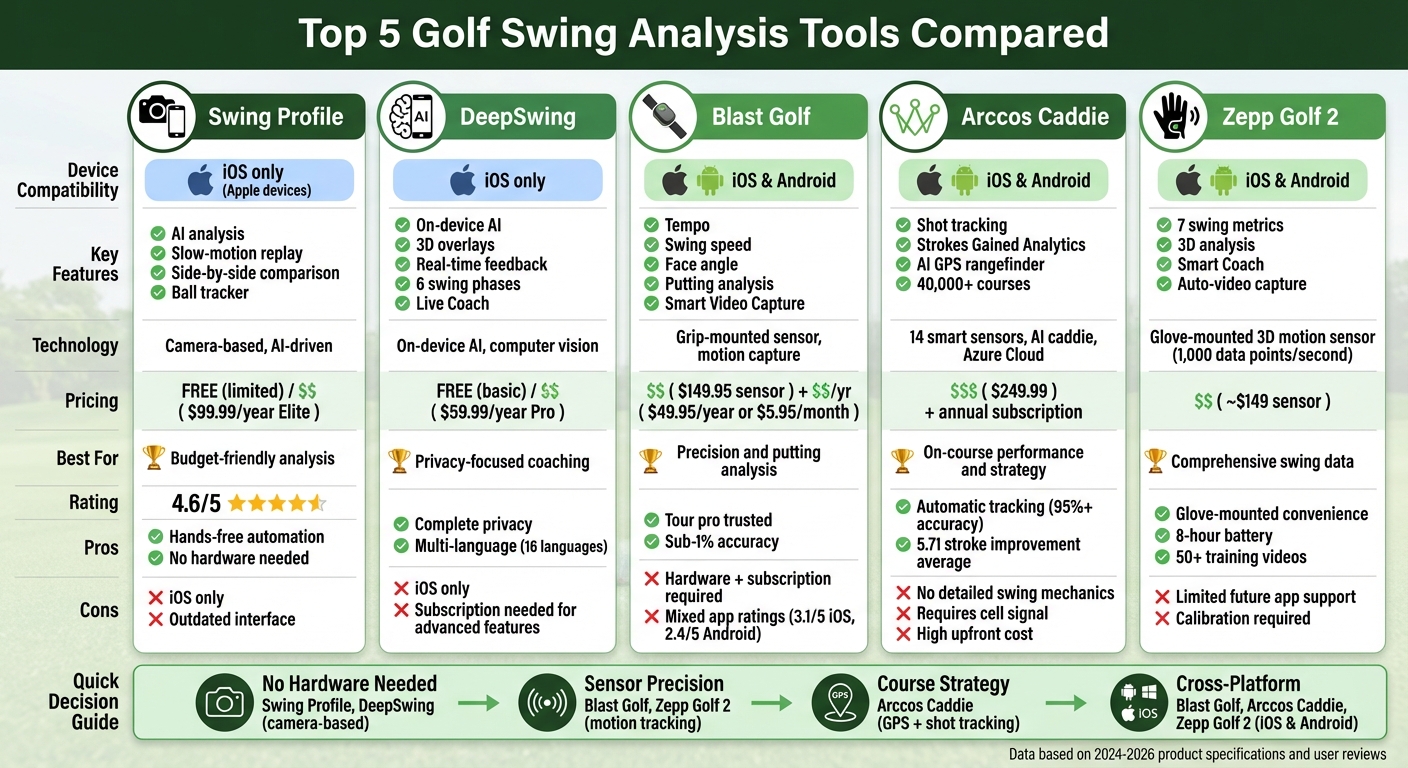
Golf Swing Analysis Tools Comparison: Features, Pricing, and Device Compatibility
Device Compatibility
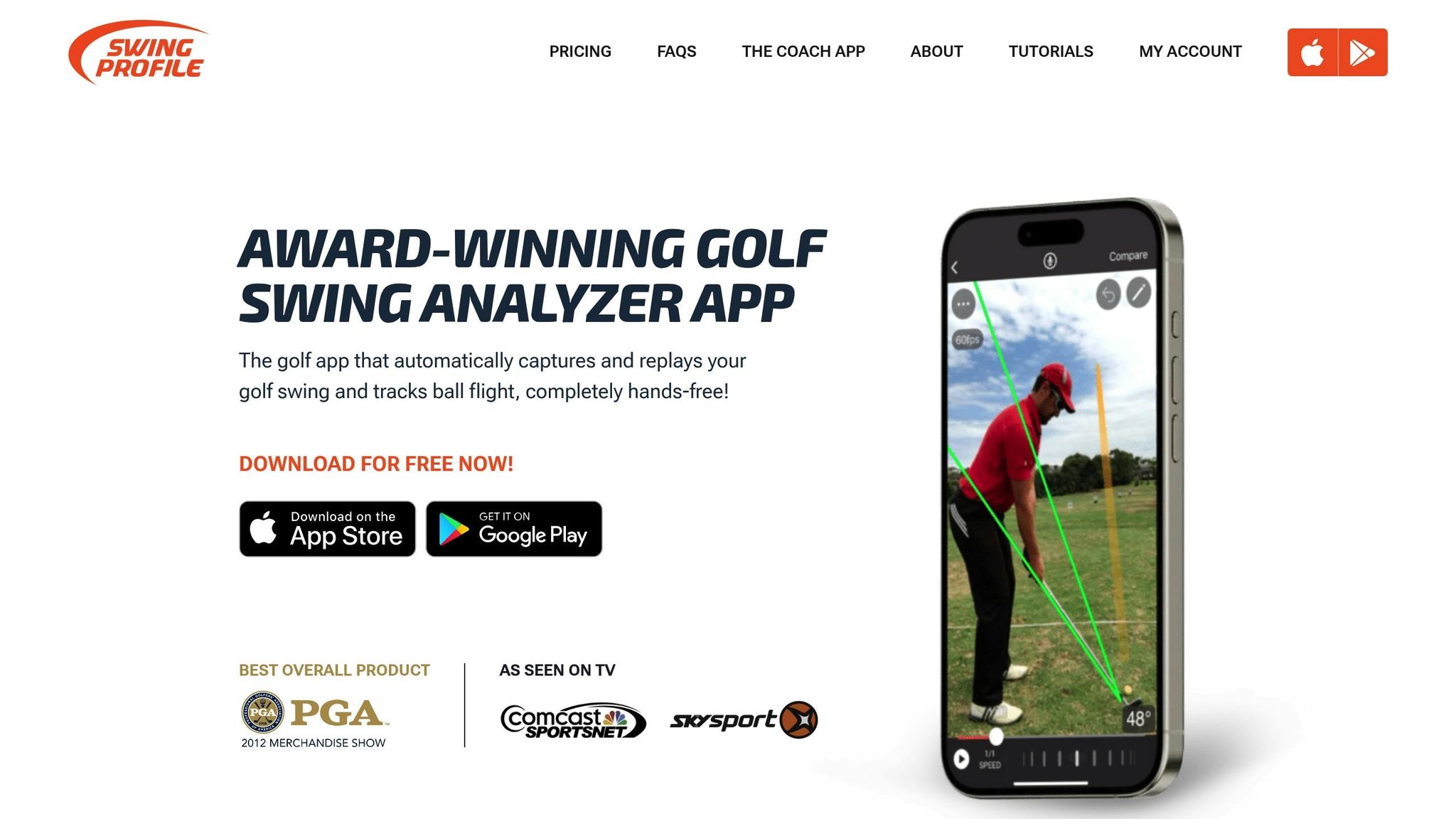
Swing Profile is designed exclusively for Apple users, requiring iOS 15 or iPadOS 15. It’s compatible with iPhone 6S or newer, a range of iPads – including iPad Pro, iPad Air 2 or later, iPad (5th generation or newer), and iPad Mini 4 or newer – and MacBooks equipped with Apple M1 or M2 chips. A standout feature is its multi-device capture, which lets you record from two devices simultaneously, such as an iPhone and an iPad, to capture different angles like down-the-line and front views. With cloud storage and Student Lockers, you can seamlessly access your recordings across devices. The app relies solely on your device’s built-in camera – no need for additional sensors or Bluetooth.
Swing Metrics & Analysis Features
Swing Profile simplifies swing analysis with automation. The app trims swings down to the crucial 2-second window and replays them in slow motion at up to 240 fps, ensuring you catch every detail. It automatically adds reference lines for swing plane analysis and generates Golf Digest–style swing sequences. The Ball Tracker feature uses artificial intelligence to track ball trajectories immediately after impact, helping you organize videos based on ball flight. Plus, the Auto-Sync function aligns swings captured at different speeds, making side-by-side comparisons effortless.
“SWINGPROFILE is a winner! This is a brilliant golf swing analysis app that bleeds efficiency for the busy golf instructor…continuous recording with auto-trim, auto draw of swing plane/shoulder plane/vertical reference lines.”
- Deb Vangellow, LPGA Master Professional
AI/Technology Integration
With the release of Version 12 in August 2024, Swing Profile introduced AI-powered skeleton tracking, offering deeper insights into body positions throughout the swing. The Golfer Fitter Tool uses AI to guide you into the ideal position within the camera frame before recording. By focusing solely on capturing the swing – just 10% of practice time – it conserves device storage. For optimal results, position your device at chest height on a tripod about four steps away from your hitting area. The Auto-Replay Mirror mode is another handy feature, allowing you to toggle between live practice motion and instant replays of your last swing for quick adjustments.
Strengths and Weaknesses
Swing Profile’s hands-free automation and advanced features have earned it praise, including a 4.6/5 rating on the Apple App Store from 1,500 users and recognition as “Best Overall Product” at the 2012 PGA Merchandise Show. The free plan offers 3 recordings, 5 Auto Replay sessions, and 10 Ball Tracker sessions per hour. For more flexibility, the Elite plan costs $99.99 annually, removing session limits and adding 5GB of cloud storage. Coaches can opt for the $199.99 per year plan, which includes student management tools and custom branding options. However, its Apple-only compatibility excludes Android users, and some reviewers have mentioned that the interface feels outdated. Additionally, the pricing may seem high, but for dedicated golfers and instructors, the automation and analysis tools could make it worth the investment.
sbb-itb-bcd8bdd
Device Compatibility
DeepSwing showcases the shift toward integrated swing analysis across Apple devices. It operates exclusively within the Apple ecosystem, requiring iOS 17.0+, macOS 14.0+ (M1+ chips), watchOS 11.5+, and visionOS 1.0+. As of early 2026, Android users are out of luck, as no native version exists. One standout feature is its cross-device Live Coach mirroring, which lets you start recording on your iPhone and view the live feed, complete with synced overlays, on an iPad or Mac browser.
The app also makes excellent use of the Apple Watch, allowing you to trigger recordings, switch cameras, and monitor real-time status – all from your wrist. This eliminates the hassle of walking back to your tripod-mounted phone. Plus, all annotations, coach notes, and overlays sync across devices instantly, and you can embed them into exported videos.
Swing Metrics & Analysis Features
DeepSwing automatically identifies six key swing phases: setup, backswing, top, downswing, impact, and finish. It measures critical metrics like head movement, spine angle, hip rotation, weight shift, and tempo ratio. These measurements help predict ball flight tendencies, such as slices, hooks, or fat/thin shots.
The Clubhead Trail view provides frame-by-frame tracking of the clubhead, helping pinpoint hand-path issues. Another useful tool is the 3D Ghost Overlay, which offers a professional reference model to compare your swing plane and body position in face-on and down-the-line views.
To make things even more user-friendly, the app generates a Swing Score (0–100), highlights your “Most Important Fix”, and suggests drills to address specific issues like early extension or over-the-top moves. A synced comparison mode allows you to analyze specific phases – such as comparing the “Impact” phase across multiple swings.
AI/Technology Integration
DeepSwing’s analysis is performed entirely on-device using advanced computer-vision models, ensuring complete data privacy – no cloud uploads required. The Live Coach feature provides real-time feedback via voice cues and haptic alerts during your swing. Video playback runs in slow motion at up to 240 frames per second, offering precise, frame-by-frame analysis.
For optimal results, it’s recommended to position your camera at chest height and at the correct angle (either face-on or down-the-line). The app also supports 16 languages, including English, German, French, Japanese, Korean, and Simplified Chinese, making it accessible to a global audience.
“DeepSwing is built as a pure AI golf coach: it records your swing, breaks it into phases, measures key angles, and then tells you exactly what to fix – all fully on-device.” – deepswing.io
Strengths and Weaknesses
DeepSwing’s on-device AI and structured coaching system have positioned it as a standout tool for iPhone users who value privacy-focused analysis. The app is free to download and includes basic analysis, while the DeepSwing Pro subscription costs $59.99 annually (roughly $5 per month). This unlocks unlimited captures, imports, Live Coach sessions, and advanced analyses.
One of its key strengths is the priority fix loop, which focuses on the most urgent swing fault before tackling secondary problems. However, advanced features require a Pro subscription. Overall, DeepSwing shines as a comprehensive coaching tool, especially for golfers looking to improve during solo practice sessions.
Device Compatibility
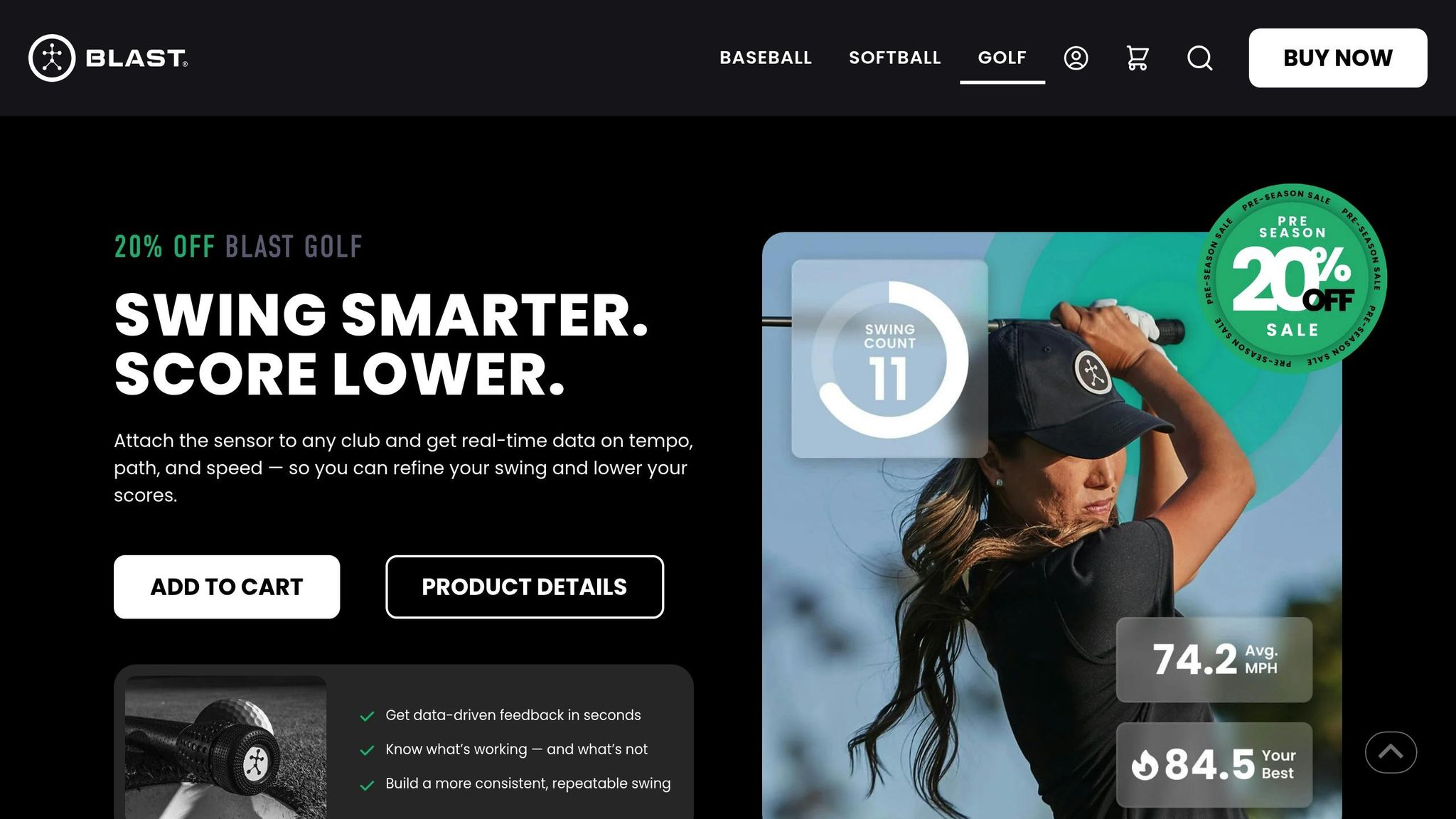
Blast Golf uses a hardware-first approach, relying on a physical sensor that attaches to your club’s grip and connects via Bluetooth. It supports iPhone, iPad, and iPod touch running iOS 15.0 or later, as well as Apple Vision (visionOS 1.0 or later). Android users can also access the app on smartphones and tablets, though compatibility may vary – it’s a good idea to check the official list of supported devices at blastmotion.com/devices. The sensor comes with offline storage, syncing data automatically once reconnected. Reviews highlight that the iOS version offers a more polished interface and better data visualization compared to Android. The sensor is priced at $149.95, with subscription options at $49.95 annually or $5.95 monthly. This cross-platform functionality makes Blast Golf a flexible choice for swing analysis.
Swing Metrics & Analysis Features
Blast Golf tracks swing data across four modes: full swing, short game, bunker shots, and putting. Key metrics include tempo, face angle, loft change, rotation, stroke speed (for putting), swing speed, peak hand speed, tempo ratio, and attack angle (for full swings). The Blast iQ™ feature uses AI to analyze swings and provides color-coded feedback for easy interpretation. A standout feature is Air Swings mode (available on Gen 3 sensors), which allows indoor practice with golf drills without hitting a ball while still delivering accurate metrics like swing speed and tempo. Additionally, its Smart Video Capture automatically records each swing and overlays real-time metrics, making it simple to share with instructors [19, 24].
AI/Technology Integration
Blast Golf combines precise hardware with advanced technology, leveraging biomechanics research and a database of over 400 million swings to deliver real-time voice feedback [25, 26]. This feature announces metrics during practice, so you can stay focused without needing to check your phone constantly. Instructors appreciate the system’s accuracy and ease of use:
“Blast technology is incredibly accurate, measuring movement and change that helps with the consistency of your golf swing.” – Joe Hallett, Instructor
The sensor requires no calibration – just attach it with the Blast logo facing up, and you’re ready to go [19, 23]. For best results, use the smaller rubber sleeve for standard grips and aim for a 3.0:1 tempo ratio (backswing three times longer than the downswing) on full swings.

Strengths and Weaknesses
With over 200 Tour Pros and 350 million recorded swings, Blast Golf stands out for its putting analysis and reliable hardware. Its gamified feedback makes practice more engaging [22, 23]. However, the app’s performance has been mixed, with ratings of 3.1/5 on iOS and 2.4/5 on Android. Users have reported issues with connection stability and the subscription model [20, 21]. The free account’s limit of 15 swings per day can also feel restrictive during longer practice sessions. While it excels in capturing tempo and speed data, the sensor lacks detailed wrist mechanics tracking and 3D swing path visualization, which are available in some more advanced systems.
Device Compatibility
The Arccos Caddie works seamlessly with iPhone 8 or newer (iOS 16.0+), select Android devices (11.0+ with gyroscope/accelerometer), and Apple Watch Series 5 or later. For those who prefer phone-free tracking, the optional Arccos Link Pro is available. Its smart sensors, which screw into your club grips, automatically record every shot you take. For a deeper dive into your game, the Arccos Dashboard offers detailed data visualization on your computer or tablet. Plus, with custom mapping for over 40,000 courses worldwide, you’ll have access to course insights no matter where you play.
Swing Metrics & Analysis Features
Arccos Caddie does more than just track your swings – it captures every shot on the course, providing a complete picture of your performance. The system automatically logs the club used, shot distance, and shot location. Its Strokes Gained Analytics breaks down your game into driving, approach shots, short game, and putting, comparing your performance to specific handicap benchmarks. The Smart Club Distances feature calculates your true average yardage for each club, factoring out mishits and adjusting for environmental conditions. After completing five rounds (90 holes), you’ll unlock personalized club recommendations and strategic insights tailored to your game. On average, members improve their approach shots, landing 14.91 feet closer to the hole after just 10 rounds.
AI/Technology Integration
Arccos has teamed up with Microsoft to harness the power of AI through Azure Cloud, analyzing over 1.3 billion shots from golfers worldwide. The A.I. Powered GPS Rangefinder is a standout feature, offering “Plays Like” distances by factoring in wind, temperature, humidity, and altitude in real time. PGA TOUR Caddie Ted Scott highlights its value:
“The calculations that we do as caddies – uphill, downhill, wind direction, temperature and even altitude – it takes us a few minutes to figure all that stuff out. Now the Arccos Caddie Rangefinder is gonna do that for you in real-time.”
The system even adjusts yardage based on altitude differences between your home course and your current location. In 2019, users who played at least five rounds saw an average handicap improvement of 4.2 strokes. These advanced tools provide golfers with a comprehensive view of their on-course performance.
Strengths and Weaknesses
Unlike many tools that focus on swing mechanics, Arccos shines by turning data into actionable on-course strategies. With 650 million shots recorded across 13.5 million rounds in 162 countries, it delivers unparalleled insights. On average, new members improve by 5.71 strokes within their first year. Recognized by Golf Digest as the “Best Game Analyzer” for three consecutive years, Arccos has built a reputation for excellence.
That said, there are some trade-offs. A steady cell signal is essential for full AI functionality, and the app may drain your phone battery by around 10% during a round. Additionally, some users report that its AI-driven swing advice may occasionally contradict modern coaching techniques. For tournament play, you’ll need to enable “Tournament Mode” to disable non-conforming features like elevation adjustments.

Device Compatibility
Zepp Golf 2 is designed to work effortlessly with both iOS and Android devices. It connects to smartphones and tablets and even pairs with the Apple Watch, offering on-the-spot feedback right on your wrist. The device uses Bluetooth Low Energy for a stable connection while conserving battery life. Through the Zepp Golf app – available on the Apple App Store and Google Play Store – you can dive into your swing data, watch 3D replays, and follow tailored training programs.
Weighing just 0.22 ounces (6.25 grams), the sensor attaches directly to your golf glove. This means you don’t have to swap it when switching clubs, keeping it out of the way during your swing. The battery lasts up to 8 hours on a single charge and takes about 90 minutes to recharge fully.
Swing Metrics & Analysis Features
Zepp Golf 2 tracks seven essential swing metrics: club speed, hand speed, club plane, hand plane, tempo, backswing length, and hip rotation. Each swing is evaluated with instant green, yellow, or red feedback to signal how well you’re performing. A 3D swing analysis provides a 360-degree view of your movement, letting you examine your swing from every angle.
The Smart Coach feature identifies your weak points based on your first 10 swings and creates a custom training plan. These plans include video drills led by professionals like Keegan Bradley and Michelle Wie. Plus, the Auto-Video Capture feature uses your smartphone camera to record your swings hands-free. You can then compare your movements frame-by-frame against professional swing metrics. For tempo, it suggests a 3:1 ratio, meaning your backswing should be three times slower than your downswing to maximize power.
AI/Technology Integration
Equipped with dual accelerometers and dual 3-axis gyroscopes, Zepp Golf 2 collects 1,000 data points per second to construct a detailed 3D model of your swing. The Smart Coach uses this data to pinpoint areas for improvement and creates a personalized plan to help you progress. As Spencer Lanoue, Founder of Caddie AI, puts it:
“Think of it as an honest mirror for your golf swing… Zepp cuts through the guesswork and shows you exactly what’s happening.”
The app also features video recognition technology, allowing swing analysis using just your smartphone camera – even without the sensor. For tracking hip rotation, you can place your phone in your front pocket during your swing. The sensor is typically priced at around $149.99.
Strengths and Weaknesses
Zepp Golf 2 has received high praise for its intuitive design and user-friendly features. Trusted Reviews described it as “simply the best golf sensor on the market”, highlighting its glove-mounted design that eliminates the need to reposition the device. The Smart Coach training library, packed with over 50 instructional videos, adds extra value. Martin Hopley, Editor at Golfalot, noted, “The Zepp 2 is probably one of the best out there because it is reasonably priced, light and easy to use.”
However, there are some drawbacks. Users have pointed out that the scoring system might reward swings that appear mechanically sound, even if the ball flight (like a slice) is less than ideal. Additionally, the initial calibration process requires holding your address position for three seconds with each club, which can be a bit tedious. Beginners might also find it helpful to manually adjust swing goals rather than relying entirely on professional presets.
The BEST Swing Analysis App I’ve Tried in 30 Years
Comparison Table
Here’s a quick overview of the standout features and trade-offs of each tool to help you decide which one suits your practice needs best.
| Tool | Device Compatibility | Key Metrics Tracked | Technology Used | Main Pros | Main Cons |
|---|---|---|---|---|---|
| Swing Profile | Apple only (iOS/iPadOS/macOS with devices like iPhone 6S+) | Swing plane, tempo, ball flight, swing phases | AI/Computer Vision, auto-capture | Hands-free recording; free version | Outdated interface; needs expert analysis |
| DeepSwing | iOS, iPadOS | Spine tilt, swing plane, tempo, hip rotation, weight shift, outcome predictions | On-device AI, 3D ghost overlays | Privacy-focused; multi-language support | iOS only; subscription required for full features |
| Blast Golf | iOS, Android | Swing speed, tempo ratios (3:1), peak hand speed, club path, rotation | Grip-mounted sensor, motion capture | Sub‑1% accuracy for putting; trusted by tour pros | Subscription required; sensor priced $149.95–$179.95 |
| Arccos Caddie | iOS, Android | Shot distance, strokes gained, club selection, GPS course data | 14 smart sensors, AI caddie, GPS (40,000+ courses) | Fully automatic (95%+ accuracy); set‑and‑forget | $249.99 upfront; annual subscription; lacks detailed swing mechanics analysis |
| Zepp Golf 2 | iOS, Android | Club speed, club plane, hand path, tempo, backswing length | Glove‑mounted 3D motion sensor | Glove‑mounted; 8‑hour battery | Limited future app support; ~$149 sensor cost |
Key Takeaways
If you want a hardware-free option, Swing Profile and DeepSwing rely solely on your device’s camera, making them convenient and portable. Swing Profile is a budget-friendly choice with its free version, though its interface feels dated. DeepSwing, on the other hand, offers advanced AI analysis with features like 3D ghost overlays and outcome predictions, but it’s exclusive to iOS and requires a subscription for full functionality.
For those who prefer sensor-based precision, Blast Golf and Zepp Golf 2 provide highly accurate motion data. Blast Golf is trusted by professionals for its putting accuracy and detailed metrics, though it comes with a subscription and hardware cost. Zepp Golf 2 offers a glove-mounted sensor with an 8-hour battery life, but its app may lack long-term support.
Arccos Caddie stands out for golfers who want to improve their on-course strategy. With 14 smart sensors and access to over 40,000 courses, it tracks shot distances, provides strokes-gained analytics, and offers club recommendations. However, its focus on course performance means it doesn’t analyze swing mechanics, and there’s a steep upfront cost plus an annual subscription.
Each tool caters to different aspects of golf improvement. Whether you’re looking for swing mechanics analysis, precise motion tracking, or strategic course insights, there’s an option tailored to your needs.

Conclusion
Spencer Lanoue, Founder of Caddie AI, sums it up perfectly:
“A good swing analyzer is simply a tool that gives you objective feedback… It bridges the gap between what you think you’re doing and what you’re actually doing.”
Whether you’re working on tempo, clubface control, or overall consistency, swing analyzers can help you identify the metrics that might be holding you back.
Choosing the right tool comes down to your specific needs and budget. If you’re looking for a camera-based option without the need for extra hardware, tools like Swing Profile or DeepSwing are convenient choices. For those who prefer sensor-based motion tracking, Blast Golf and Zepp Golf 2 are excellent picks. And if your focus is more on course strategy than swing mechanics, Arccos Caddie offers GPS tracking for over 40,000 courses, along with automatic shot detection.
That said, technology alone won’t lead to lasting improvements. These tools are great for pinpointing issues – whether it’s a cupped wrist or inconsistent swing tempo – but real progress comes from structured practice. Drills, training, and building muscle memory are essential to turning data into better performance on the course. Resources like How To Break 80 provide drills, video lessons, and step-by-step plans to help you make meaningful changes.
Start by recording 10 swings with your favorite club to establish a baseline. From there, focus on improving one metric at a time to avoid overwhelm. By combining insights from these tools with disciplined practice, you can see measurable improvements where it matters most – on the course.
FAQs
Which swing analyzer is best for Android users?
If you’re looking for the best swing analyzer for Android, iSwing™ stands out. It offers frame-by-frame video analysis, allowing you to closely evaluate your golf swing. With features like slow-motion replay and comparison tools, it helps pinpoint areas where you can improve.
Do I need a sensor, or is a camera-only app enough?
A camera-only app is a solid choice for basic swing analysis. It typically includes features like slow-motion playback, swing plane visualization, and AI-powered feedback to help you understand your technique. These tools can give you a clear picture of your swing and highlight areas for improvement.
However, if you’re looking for more precise metrics, sensor-based systems take things a step further. They can track details like club speed and swing path, offering a deeper level of insight that a camera alone can’t provide.
For most golfers aiming to improve their game, a camera-only app can meet their needs. But if you’re serious about refining your swing and want detailed, data-backed feedback, adding sensors to your setup might be worth considering.
Which tool is more useful on the course than on the range?
Arccos Caddie is perfect for use on the course, providing AI-driven performance insights and automatic shot tracking as you play. This tool allows golfers to evaluate their game in real-time, making it a more practical option for refining course strategy compared to practicing on the range.

Leave a Reply